Set the direction.
Agree on the format, audience and examples. Treat suggestions as descriptions of the desired effect, while giving the agent room to choose an appropriate implementation.
Adrian Hensler · demo reel & working case study · October 2026
An image. A website. Even this video. Made and refined through conversation.
I describe what I want to make, then let the agent work out how: a visual explanation, an image edit, a website built around something I want to learn. For this reel I asked Codex to design the sequence and write the local production code. I supplied the photograph and direction, watched the proofs and kept revising. This page keeps the prompts, decisions and evidence beside the finished video.
A five-second glimpse of the development footage leads into “What software?” Then a labelled pinhole-camera drawing, image edits, a bees website, Breakout + Boids, a working loom and a butterfly photograph developed through Blender into a generated flight. The orange closing words come before the real-project tour and credits.
01 / the work behind the reel
I wanted something I could share as a practical example of what I can do with AI and code. I also wanted the agent to create and design the video: what to include, how long to hold it, how to connect the parts, and how to assemble the result. My job was to give it useful direction and decide what was worth keeping.
The first brief was deliberately open. We settled on landscape, text-led storytelling with music and selected sounds, and no narration. Some assets came from existing projects; others were made for the reel. Twelve numbered working cuts were retained locally, with source files, manifests and checks alongside them. The final cut is 156 seconds and 3,744 frames. Inspect the cut inventory.
“What software?” is the starting point: describe what you want to make and let the agent work out how. I could ask for a labelled drawing, an image edit or a video, then discuss the result in ordinary language. Codex handled much of the code, tool use and assembly while I set the direction and decided what to keep.
That is what I want this reel to demonstrate. You can begin with an idea without first learning every application needed to carry it out. There was still work involved: choosing examples, watching proofs, giving feedback and rejecting results that missed the mark. The closing heading, “The tools Codex put to work,” connects the software credits with that process. Those tools turned the intent into something I could inspect.
The existing bee notebook, game and loom grew around particular interests. I can return to a project and ask for another photograph, a different view, or another piece of behaviour. The useful part is having something that fits the question, then being able to change it.
Agree on the format, audience and examples. Treat suggestions as descriptions of the desired effect, while giving the agent room to choose an appropriate implementation.
Produce real images, small motion studies and four Blender still proofs. Keep a visible notebook of decisions and previews rather than relying on chat alone.
Measure where a measurement helps. Reject technically valid work that looks wrong. Preserve the originals, then check the actual exported file.
The goal, source photograph, project selection, visual feedback and editorial decisions. I asked for the pencil treatment, longer reading time, a faster game section, more butterfly detail, and the final order of the closing and site tour.
Sequence design, image-generation instructions, drawing and Blender code, capture and timing, programmatic compositing, an original synthesized score, export checks, and the production notebook. The final flight uses a separate video model, credited below.
The saved decisions and changelog document the changes. Existing project pages retain their own histories; the reel did not create those projects from scratch.
02 / decisions that improved it
The greenhouse was created specifically for this reel as an image-editing example. Two fictional adult gardeners and an empty foreground bowl gave the later requests obvious targets. The sequence creates the scene, adds tomatoes, then removes the people. The framing needed to read as one image being edited. I noticed the colour cast changing between generations and asked for a consistent look, favouring the people and tomatoes.
Further generated colour-matching attempts introduced more variation in the measured background patches. We kept the original three images instead, derived one RGB curve from the preferred reference look, and applied that same curve to every plate. The change was small and repeatable. It did not depend on another model preserving the background.
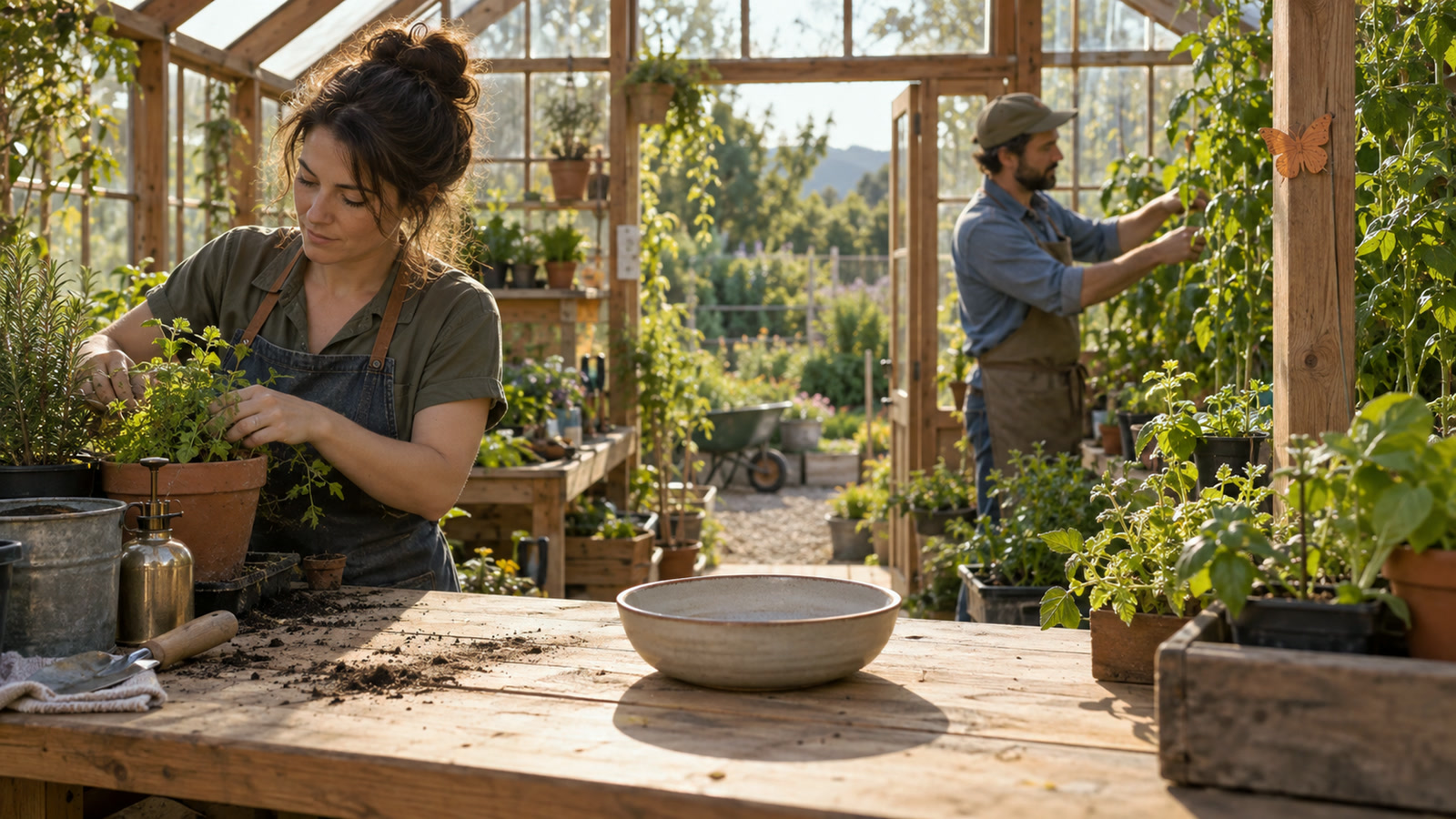
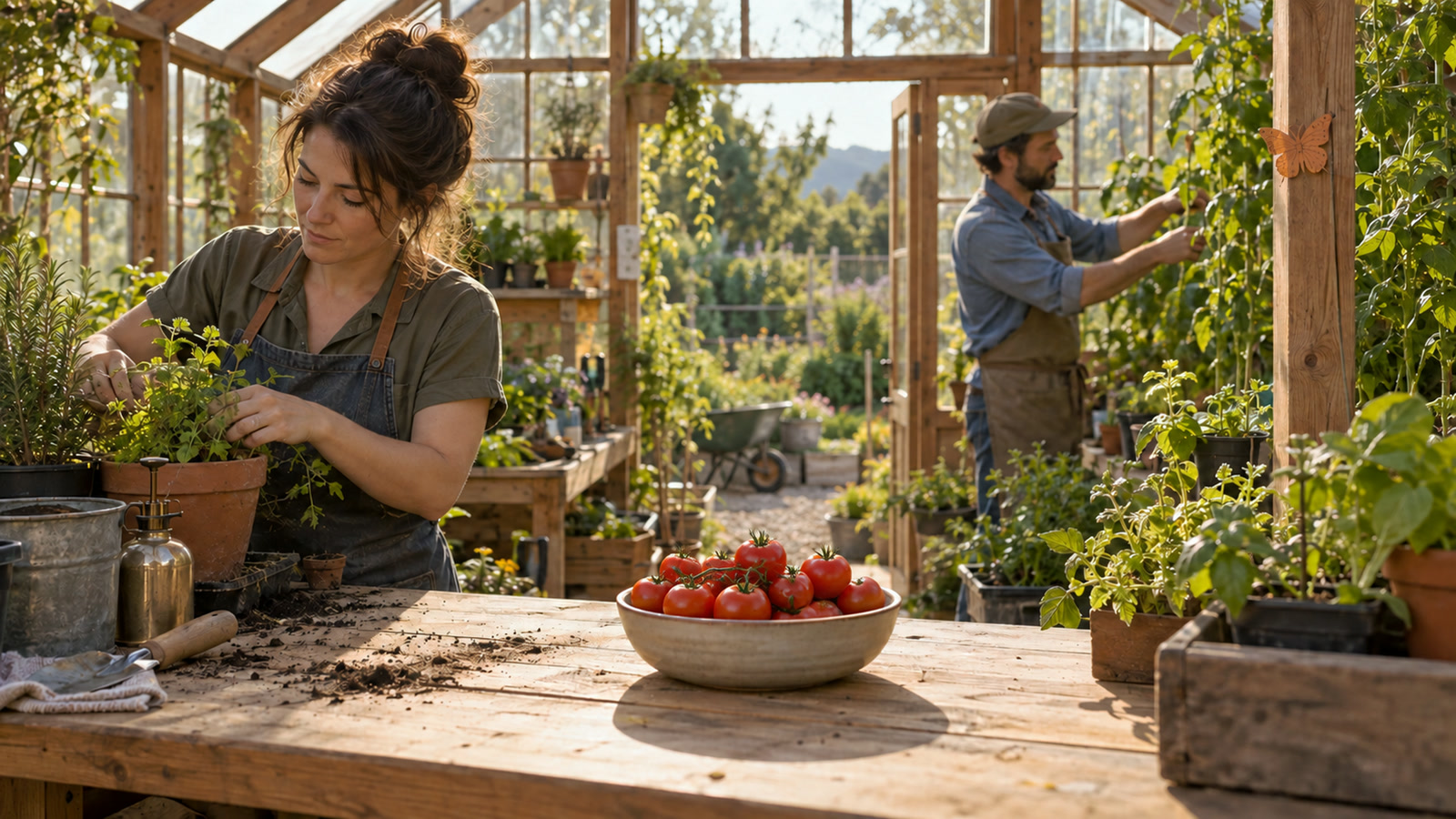
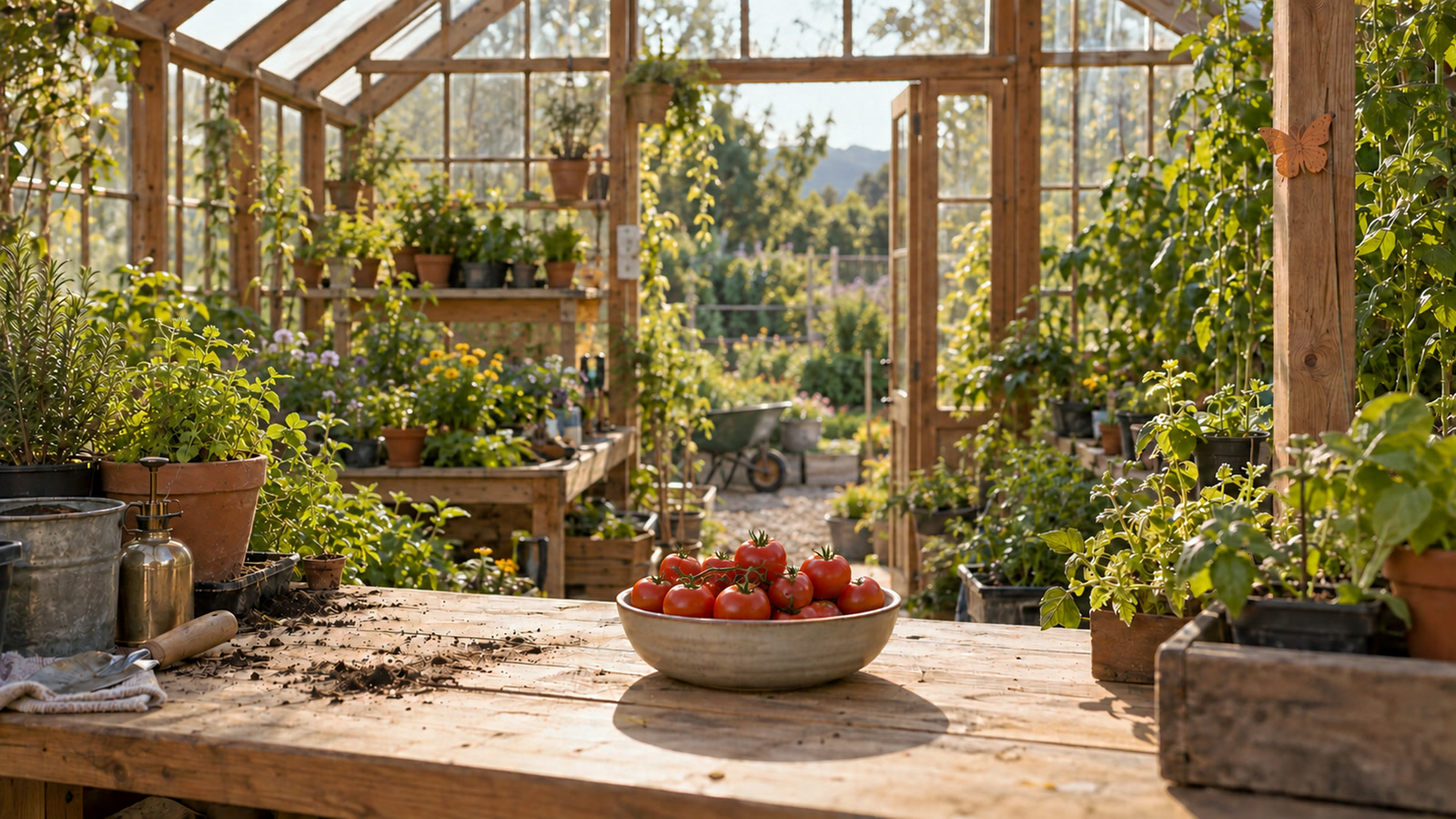
| Version | Original scene | People removed |
|---|---|---|
| Original generations | 2.452 | 2.084 |
| Generated matching attempts | 7.856 | 6.383 |
| Selected shared video curve | 2.392 | 2.185 |
These are recorded patch measurements on a 0–255 channel scale, not a whole-image quality score or proof of perfect calibration. The selected curve kept disagreement close to the original images while giving them one chosen look. Measurements and scope · The shared curve.
The butterfly started with my photograph. The local Blender work used curved photographic wing surfaces, a rounded body, legs, antennae and a modelled flower. Before committing to the next animation, I asked for four still proofs: clay, textured, a modest side angle, and registration against the original.
Those views made the construction and its limitations visible. This is a limited-angle reconstruction from one photograph. Hidden anatomy and depth were inferred. The registration proof is a 50% model overlay; the final construction sequence blends back onto the unchanged original photograph.
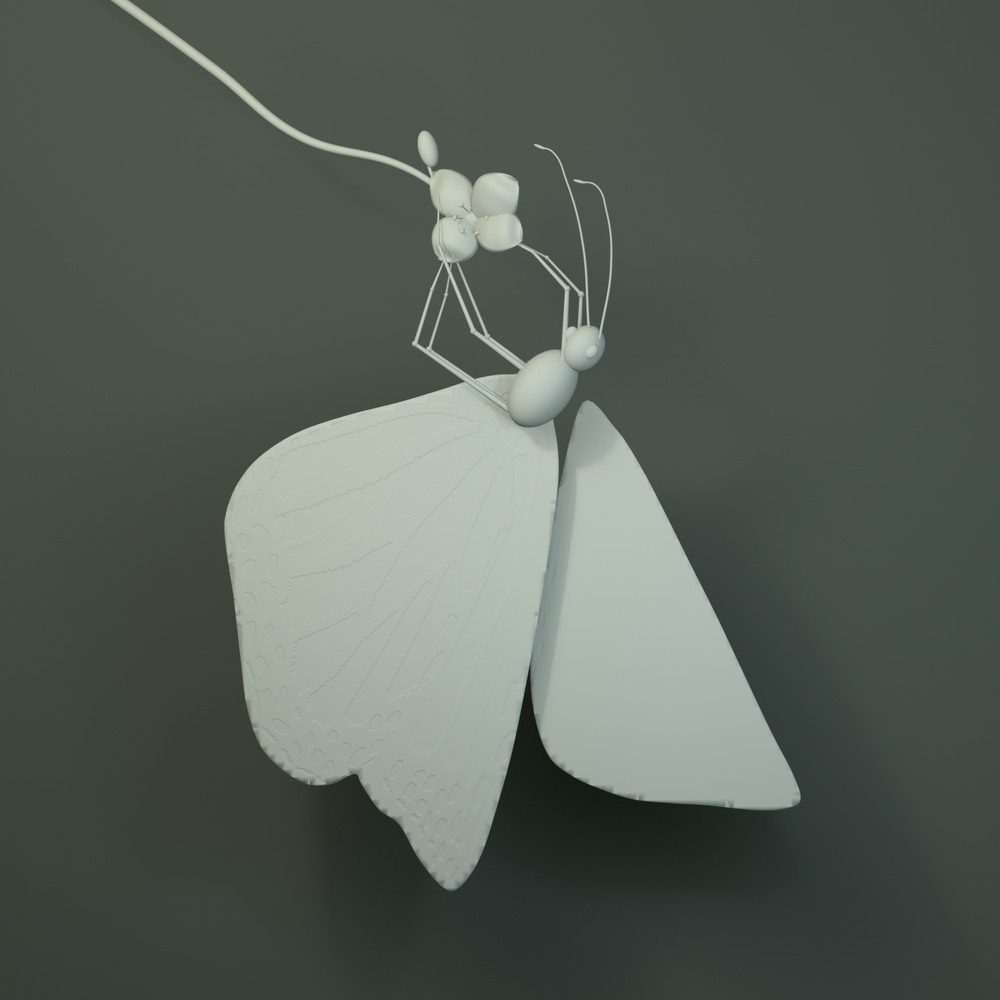
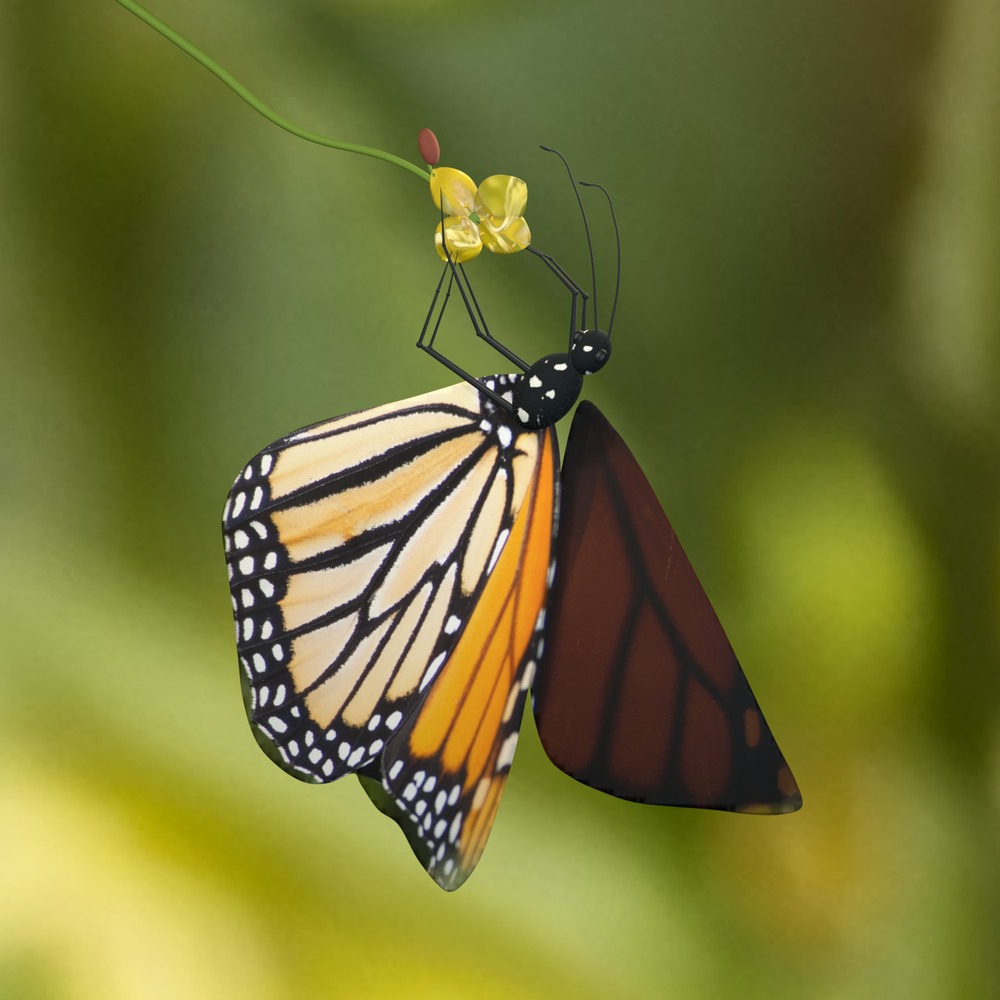
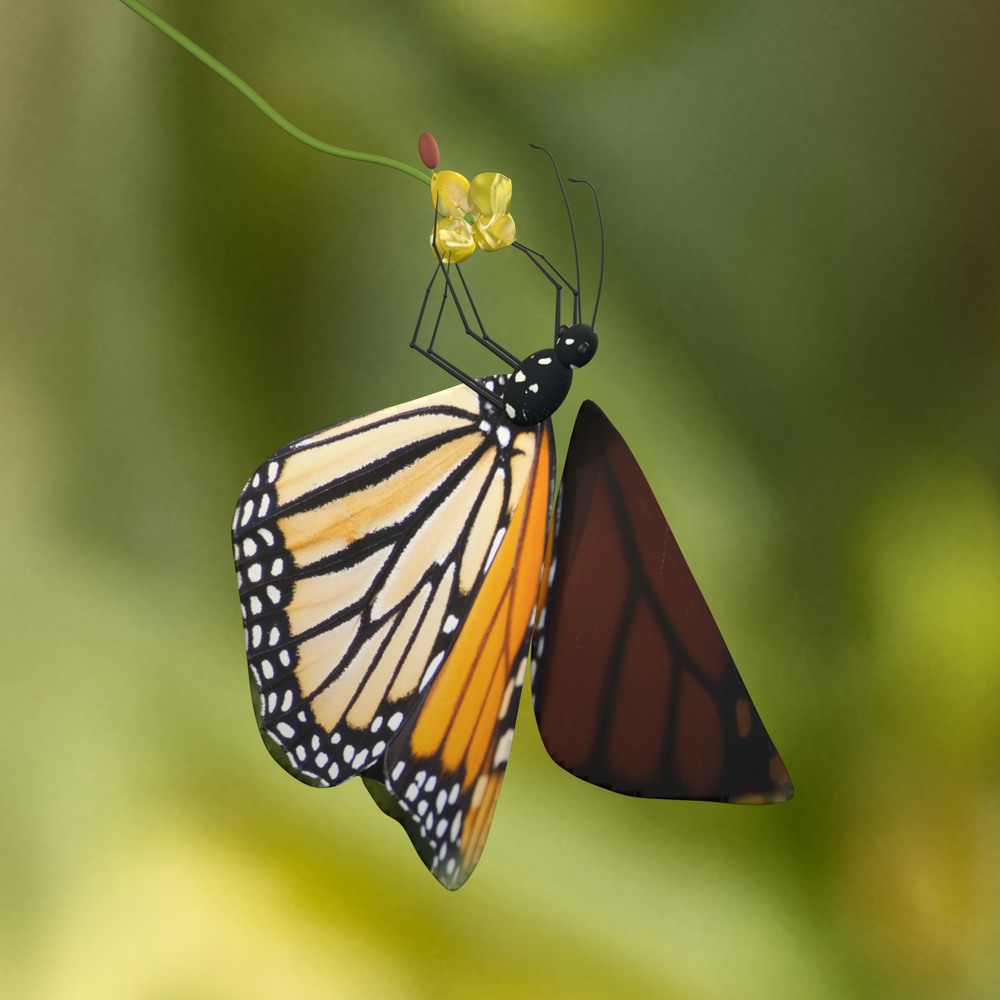
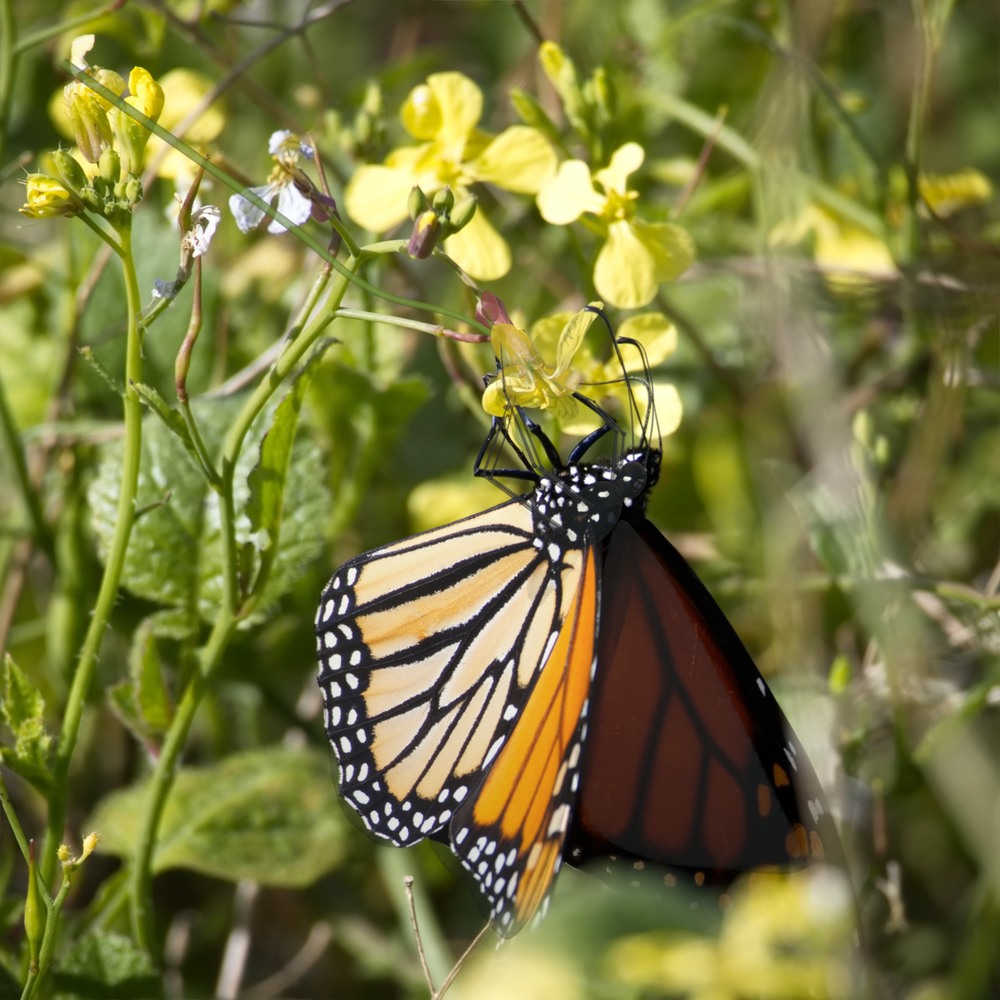
The subsequent local flight rendered, decoded and passed saved-scene checks. I still rejected it as too rough. We retained the Blender construction, but replaced the flyout with a bounded Replicate test. The first generated take had the wing colour and texture I wanted. Some movement is still imperfect; I chose to keep it. That judgement is part of the result.
Still-proof record · Local motion checks · Sanitized selected-run summary.
I approved a maximum of US$6 and three attempts for the ten-second flight. We submitted one. The recorded estimate for that attempt was about US$1.80. That is the estimate for this video-model call alone, not the total cost of the reel, earlier image work, agent usage or the existing projects.
The runner checked the model’s current input schema before submitting. It used the hand-held print as the first image and solid amber as the requested last image. It also recorded an “unknown” submission state before making the paid request and blocked automatic resubmission until that state could be reconciled. This was a precaution in the implementation; the actual job succeeded.
The output still had a soft highlight in the orange. A short local dissolve to the exact colour, #fda405, supplied the clean join. We solved that small finishing problem locally and kept the selected take.
Run, budget and output facts · Submission guard and source excerpts. The cost is a saved production-time estimate, not an invoice or a current price quote.
The request text now begins fading in as each image change starts. The bee alternatives hold for an extra two seconds. The overhead loom view holds for 2.5 seconds. The construction sequence was finally shortened from 11.5 to 10.5 seconds, retaining all ten refinement stages. The main game passage plays at 1.6×; the later Halloween browser capture compresses seven seconds into 4.5.
The condensed creation request, eight-prompt recap and orange closing statement still come before the site tour. Revision 09 preserved the earlier four-second opening; its 96 decoded frames matched the preceding export. The later polish pass deliberately changed that opening and its premise.
For revision 10, we first made a 33-second proof of the new title, readable requests, greenhouse edits, a bee-page move and a diagonal tour entrance. I then suggested a fast-forward glimpse of the saved trials. We compared five-second and 15-second montages before the same title; I selected five seconds. It samples 30 source clips in groups, including earlier attempts. Those files overlap, so the montage is a glimpse of development rather than a record of elapsed working time.
The primary requests are now 104 pixels at 1080p, short edit labels 88 pixels and supporting text 64 pixels. Captions fade away to expose the result. The greenhouse view settles before each edit; the camera drawing moves towards the aperture detail; page views approach a species and its photograph comparison. The tour keeps its original interaction timing, with a short diagonal slide-and-fade between projects. Captured page text and the original drawing labels retain their source sizes.
The finishing pass kept the shots and timing intact. We compared the same 12-second opening with two sound treatments. I selected a locally synthesized fast-forward flutter over the five-second montage; it stops at the title and exposes the original calm score. We also clarified the opening’s wording and scoped the photo credit to “Monarch butterfly photography · Adrian Hensler.” Opening sound record.
Selected montage excerpts · Short-proof checks · Earlier opening-preservation record.
Final sequence and timing · Capture and hold timing · Preservation and ending-order checks.
03 / selected prompts
The short prompts in the reel are representative summaries. The working instructions can be more precise: what should change, what should stay, which reference matters, and where to stop. Below, “saved production prompt” means the saved instruction used for that step. “Condensed brief” means a summary written for the reel.
Condensed brief · shown in the final reel
Create a portfolio reel from my projects and butterfly photograph. Choose the shots and timing. Add animation, music, captions and credits...
This represents the task, not a verbatim reconstruction of the conversation. The finished reel followed repeated direction and review; the notebook makes those iterations visible.
Saved production prompt · greenhouse edit excerpt
Add a generous group of ripe red tomatoes in the empty foreground ceramic bowl, with a couple of green stems. Make the addition immediately visible and photographically consistent with the existing light and shadows.
The rest of the saved instruction asks to preserve the framing, structure, bench, bowl, plants, two gardeners and small marker. That gives the edit a narrow target and something concrete to inspect afterwards. The people-removal instruction then preserves the tomatoes and reconstructs the background behind the gardeners.
Full creation prompt · Full tomatoes edit · Full people-removal edit.
Saved production prompt · flight excerpt
1-3s: the exact butterfly in the print gently opens its wings, gains real depth and lifts out of the photographic paper from its original position.
The full prompt sets a quiet opening, emergence, a path towards the viewer, a close wing pass, and a final amber frame. It asks for photographic scales, hairs and translucent highlights, a coherent hand and print, and no second printed butterfly left behind. Those are desired constraints, not proof the model satisfied every one perfectly.
Read the full timed flight prompt · Selected output and limitations.
Condensed brief · drawing and presentation
Help me explain a pinhole camera. Label it. Magnify the pinhole.
The final drawing uses the local Anatomy toolkit, with a custom graphite palette, hatching and hand lettering. The enlarged disc is essential: a pinhole is too small to explain clearly in the assembled camera view. The teaching example uses 72 mm and 0.35 mm, which gives approximately f/206, matching HARMAN’s published specifications. Its construction is illustrative. The local geometry audit passed; scientific validation and browser interaction checks are not implied.
Drawing record and scope · Saved local audit · Anatomy by Ryan / wheresryan22.
04 / a visible working record
I asked for an HTML page I could watch beside the work: what was being worked on, the decisions we had made, and a changelog. Codex kept a structured status record and an append-only journal, then refreshed the page’s embedded data so the saved HTML was useful offline as well. The live local page checked for updates every three seconds.
It held the latest cut, previews, asset status, accepted decisions and earlier drafts. That gave us a shared place to inspect the work as the brief changed. A successful render did not silently become an accepted creative result: the rejected local flight and the dropped separate cinematic concept remained in the record.
This is a useful way of making agent work visible. I would use it again for a project with several kinds of output, decisions that need to survive a long conversation, or someone reviewing while production continues. The snapshots below make that process inspectable, including the revisions that did not make the cut.
SAVED REVISION 03
Prepared references and local studies, before a paid video run.
18 decisions · 30 changelog entries
Open the public notebook copy →SAVED REVISION 07
The first selected flight, photographic opening and longer holds.
31 decisions · 57 changelog entries
Open the public notebook copy →SAVED REVISION 09
Explicit Codex authorship, corrected ending order and the real-site tour.
38 decisions · 71 changelog entries
Open the public notebook copy →SAVED REVISION 10
The short proof, selected five-second splash, larger requests and purposeful motion.
44 decisions · 91 changelog entries
Open the public notebook copy →SAVED REVISION 12
Intent-first wording, the short sound comparison and the precise photography credit. Same shots and timing.
47 decisions · 100 changelog entries
Open the public notebook copy →The public copies retain the saved decisions and changelog text, with local filesystem references removed and a curated set of previews. They are static HTML exports from saved snapshot data, not full-page browser screenshots or a claim that the entire private workspace is public.
Snapshot dates, counts, source hashes and publication transformations. The complete original archives remain preserved locally.
After publication, I asked for a one-line change to the project-gallery title. The recorded process took 4 minutes 37 seconds from the first server-connection attempt to live verification. I asked why such a small edit needed so much coordination. We turned the recurring steps into a reusable helper for small website text changes, retaining change inspection, automatic review and live verification. It passed 24 regression tests and separate local probes, then checked the already-published change against the real site. The improvement is fewer agent handoffs and no new checking scripts for each eligible edit. A new live publication has not yet been timed; the review wait still applies.
Inspect the recorded checks and timing limits · The original one-line edit.
05 / evidence and limits
A decoder cannot decide whether a butterfly moves convincingly. A hash cannot establish that an anatomical illustration is scientifically correct. Four colour patches cannot certify an entire image. The files here are production evidence, including checks written by the same agent that assembled the work; they are not an external audit.
The decisive visual feedback came from watching the results and changing the brief. The final flyout is still imperfect. The limited-angle Blender model and final photo overlay are disclosed. The hand is generated. Those boundaries matter if this page is going to explain how I work.
The tour shows actual public pages. The main game passage uses the actual local game engine and renderer with automated paddle input; it is not a generated imitation of gameplay. The other projects are linked below so their behaviour can be explored directly.
OpenAI Codex coordinated the reel and wrote its local production code. Blender supplied native model and construction animation. Anatomy, an MIT-licensed skill by Ryan / wheresryan22, supplied local SVG drawing tools. OpenAI image generation supplied the greenhouse and edits and the anonymous hand/print reference. ByteDance Seedance 2.0 via Replicate generated the selected flight. Python, Pillow, NumPy and FFmpeg handled composition, original synthesized score, editing and export.
Selected loom mechanical effects came from existing project assets previously generated with Stable Audio 2.5. The bee pages include third-party photographs and AI redraws, with their photographers and licences credited separately. Existing pages and their underlying development are distinct from the reel production.
Full credits, photograph licences, model links and Anatomy MIT notice.
06 / explore the work
Switch between ink and colour, enlarge a selected structure, and explore the separate fovea and third-eyelid views. Each study explains its sources and simplifications.
A brick-breaking game with a flock inside the enclosure. The reel’s later browser tour uses Halloween mode, with bats.
An interactive four-shaft loom study. Open a shed, pass the shuttle and beat a pick, or watch it weave. An educational model rather than a calibrated physical simulation.
An illustrated learning notebook with species details, real-photo comparisons, sources and a record of how the artwork developed.
the practical skill
That is the work I want this reel to demonstrate: clear direction, useful AI-assisted implementation, small reviewable steps, and enough checking to know what has actually been delivered.
I can bring that approach to prototypes, interactive explanations, small web tools and visual demonstrations. The evidence here shows a specific project: taking a brief through working assets, awkward results, scope decisions, a bounded model call and a finished edit. It gives us something concrete to discuss if you are considering similar work.
Give me the problem, the constraints and what a useful result would look like. The tools can change; the need to make decisions, inspect the result and explain the limits stays.